
The 5 Most Dangerous AI Scams Targeting Families in 2026

The phone rang. Margaret, 71, heard her grandson’s voice on the other end. He sounded scared. “Grandma, I’ve been arrested. I need bail money. Please don’t tell Mom.”
She recognized his voice immediately. The slight hesitation he always had. The way he said “please.” She was ready to wire $4,200 before her daughter walked into the room holding her phone.
Her actual grandson was right there. He hadn’t called anyone. The voice on the phone wasn’t his at all. It was artificial intelligence (AI).

AI-powered scams are no longer science fiction. Criminals are now using tools that can clone your family member’s voice from a 10-second audio clip, fake a video call in real time, and write convincing emails that look like they came from your bank.
The FBI reported over $5 billion in losses from senior fraud alone in recent years, and that number keeps climbing as the tools get cheaper and easier to use. Online scams targeting elderly adults are rising faster than any other category, and AI is the reason why. These are no longer clumsy, obvious tricks. They are sophisticated, emotionally targeted attacks designed specifically to fool the people who trust the most.
I put together this guide to walk you through the five biggest AI scams targeting families right now. More importantly, I’ll show you exactly how to protect yourself and the people you love.
1. AI Voice Cloning Scams
What Is Voice Cloning?
Voice cloning is when an AI program copies someone’s voice using just a few seconds of audio. The result sounds almost identical to the real person. Not a rough imitation, but a convincing copy.
Criminals don’t need to hack your phone to get that audio. They can pull it from:
- Social media videos (a birthday post, a reel, a TikTok)
- Voice messages left on public platforms
- Podcast appearances or YouTube clips
- Interviews, school events, or any public recording
How the Scam Works
Here’s what actually happens, step by step.
- They find your voice online. Even a 10-second clip is enough.
- The AI clones it in minutes using free or cheap software.
- They call a family member posing as you, usually in a fake emergency.
- They ask for wire transfers or gift cards and beg the person not to tell anyone else.
Real story: Investigators documented multiple cases of AI-cloned voices being used in fake kidnapping calls. Victims hear a family member screaming in the background, actually AI-generated audio, while a captor demands ransom. The emotional shock almost always bypasses common sense. (Source: InvestigateTV, January 2026)
Warning Signs
- Extreme urgency (you need to act right now)
- Requests for secrecy (don’t tell anyone)
- Gift cards or wire transfers (legitimate emergencies don’t require these)
- The caller refuses to let you hang up and call back
How to Protect Your Family
Create a family code word. Pick something random, not a birthday, not a pet’s name. Share it only with immediate family. If someone calls claiming to be a family member in trouble, ask for the code word. A real family member will know it. A scammer won’t. I’d actually take it one step further. Don’t ask for the code word directly. That tips off a smart scammer that a code word even exists. Instead, build a trigger phrase into the conversation. Something that sounds totally normal to an outsider, but signals to your family member to give you the code word back.
For example: “Did you talk to Ronaldo?” or “Are you flying home today or tomorrow?” To anyone else, it sounds like a casual question, but your family member knows exactly what it means and that they need to respond with the specific phrase you agreed on. No correct response? You hang up. No questions asked.
Always hang up and call back. Call your family member directly on their real number. If they answer, you know immediately the first call was fake.
Tell your kids, your parents, and especially your grandparents about this. The more people know the scam exists, the harder it is to pull off. Romance scammers are also using AI voice cloning to build fake emotional relationships over weeks before asking for money. See how AI romance scams work and the warning signs to watch for.
2. Deepfake Video Call Scams
What Is a Deepfake?
A deepfake is an AI-generated video that replaces one person’s face with another. Think of it like a very convincing digital costume. The person on screen looks and moves like someone you know, but it isn’t them.
This used to require expensive software and hours of editing. Now it can happen in real time on a phone.
How Criminals Use Deepfakes
The FBI has specifically warned about criminals using deepfakes to:
- Impersonate family members in fake video calls, asking for money
- Fake executives or bosses in business scams
- Create phony celebrity endorsements to push fake investments or products
- Impersonate government officials to demand payment
The FBI issued warnings specifically about AI-generated deepfake video and voice content being used for extortion and impersonation. They recommend deleting suspicious messages immediately and verifying any unusual requests through a second channel before taking any action. (Source: Forbes / FBI Warning, January 2026)
Warning Signs
- Slight lip-sync issues (the mouth doesn’t quite match the words)
- Odd blinking (too much, too little, or weirdly timed)
- Stiff neck or body (deepfakes often struggle with natural movement)
- Unnatural lighting (the face looks slightly out of place with the background)
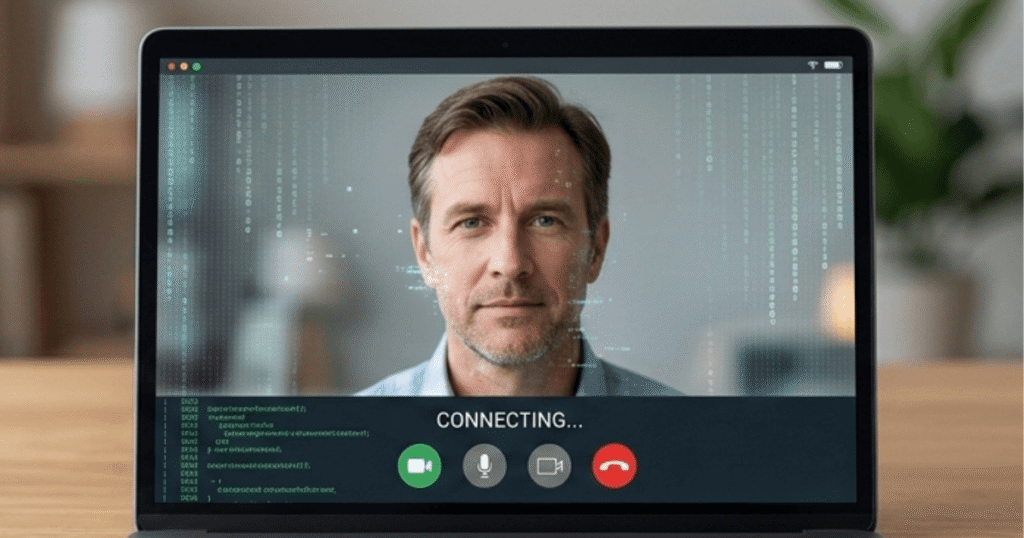
Important note: These warning signs are getting harder to spot every month. A deepfake from six months ago looked noticeably robotic. Today’s versions are frighteningly good, and by the time you read this, they may be even better. Don’t rely on spotting visual glitches alone. Keep yourself up to date.
What to Do
Ask them to do something unexpected. Tell the person on screen to touch their nose, wave, or stand up and turn around. Deepfakes struggle with sudden movements and unusual angles.
Verify through a second channel. If someone on a video call asks you for money or sensitive information, hang up and call their real number or text them directly. If someone pressures you to send money urgently after a video call, that’s a major red flag. Learn all the warning signs of a romance scam here.
Don’t assume video means it’s real. That instinct that “I can see them, so it must be them,” is exactly what these scammers count on.
How to Spot AI Images and Deepfakes
As AI image generation becomes more sophisticated, knowing how to spot a fake has become an essential skill, especially for protecting elderly parents who may not know these tools exist.
How to spot AI-generated profile photos:
AI-generated faces look almost perfect, which is actually the first clue. Real people have asymmetrical features, skin imperfections, and natural variation. AI images tend to look slightly too smooth, too symmetrical, and too polished. Look closely at:
- The eyes — AI often generates eyes that are slightly misaligned or have an unnatural glint or reflection.
- The ears and hair — AI frequently struggles with hair detail near the ears, often creating blurring or merging where the two meet.
- The background — AI images often have backgrounds that look slightly warped or melted near the edges of the subject.
- Jewelry and accessories — AI regularly generates earrings that don’t match, necklaces that disappear behind clothing, or glasses with asymmetrical frames.
- Hands and fingers — AI has historically struggled with hands. Count the fingers. Look for extra joints or merged digits.
How to spot AI images used in scams:
- Do a reverse image search. Right-click any profile photo and search Google Images or drag it to TinEye.com. If the same face appears under multiple names, it’s stolen or AI-generated.
- Use AI detection tools. Free tools like Hive Moderation (hivemoderation.com) and Illuminarty (illuminarty.ai) can analyze an image and estimate the probability that it was generated by an AI.
- Ask them to take a specific selfie. Request a photo of them holding up today’s newspaper or making a specific hand gesture. AI can’t generate a custom real-time photo on demand.
How to spot deepfake video calls:
- Ask them to wave their hand slowly in front of their face. Deepfakes often glitch or blur when something passes between the face and the camera.
- Ask them to turn sideways or look at a sharp angle, deepfakes struggle with extreme profile views.
- Look for the lighting on their face not matching the lighting in the room they’re sitting in.
- Watch for a slight delay between lip movement and sound.
If something feels slightly off about a video call, trust that instinct. Real people don’t have visual glitches.
3. AI-Generated Phishing Emails
Why Old Tricks Don’t Work Anymore
Remember when phishing emails were obvious? Bad grammar, broken English, subject lines like “URGENT: Your Account Has Been Compromize.”
Those days are over. AI can now write perfect, personalized emails that are almost impossible to tell from the real thing.
A scammer can feed an AI program your name, your bank’s name, your account type, and recent transaction details (scraped from data breaches), and generate a convincing alert in seconds. Data breaches are how criminals get that personal information in the first place. See how your data gets stolen and what to do about it.
How It Works
Here’s what a modern phishing attack looks like:
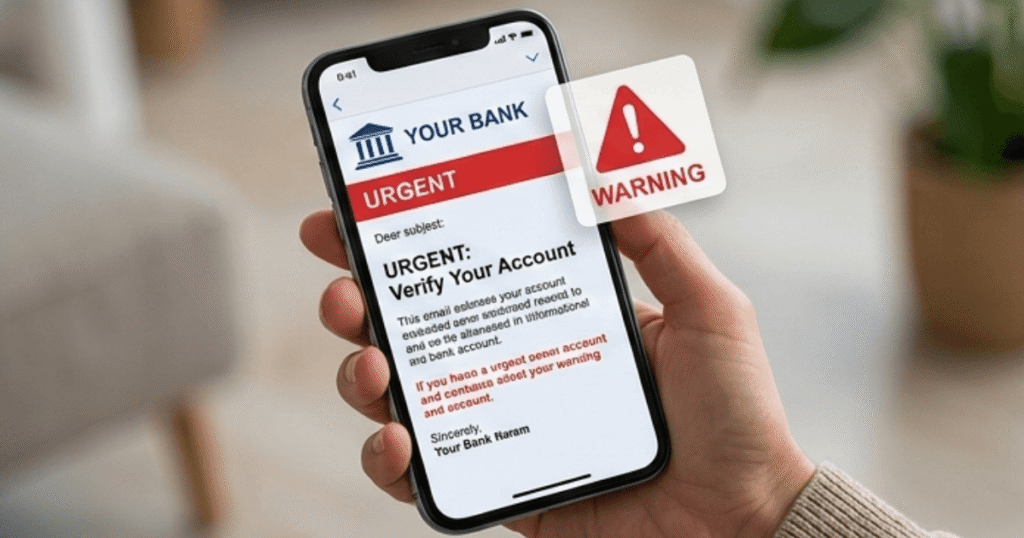
- You get an email that looks exactly like it’s from your bank (logo, formatting, tone, everything)
- It says there’s been suspicious activity on your account, and you need to verify your identity
- You click the link. The website looks identical to your real bank’s site
- You enter your username and password (and the scammer now has them)
They might also attach files, PDFs, invoices, and “important documents” that install malware (harmful software that runs secretly on your device) when you open them.
Warning Signs
- Unexpected attachments you weren’t waiting for
- Pressure to act fast (Your account will be locked in 24 hours)
- Links that look almost right (“chase-secure-login.com” instead of “chase.com”)
- A request to “verify” or “confirm” personal information
How to Stay Safe
Never click links in emails that ask for personal information. Even if the email looks perfect. Open a new browser tab and type the website address yourself.
Enable two-factor authentication (2FA) on all important accounts. This means that even if someone steals your password, they still can’t log in without a second code sent to your phone. See how this one step can block 99% of bulk hacking attempts here.“
Check the email address carefully. Not the display name, the actual address. “Chase Bank <noreply@secure-alerts-chase.net>” is not from Chase.
How to Spot AI Writing in Scam Emails and Messages
One of the most underestimated threats right now is AI-written phishing. Older phishing emails were easy to spot, with bad grammar, awkward phrasing, and obvious spelling errors. AI has eliminated all of those tells.
Here’s how to spot AI writing being used against you:
It’s too formal and too perfect. AI writing tends to be grammatically flawless but slightly stiff. Real people write with personality, contractions, and occasional casual language. A perfectly written email from your “bank” with zero personality is worth a second look.
It uses your name, account type, and real details. AI scammers feed personal data from breaches into their prompts to generate hyper-personalized messages. If an email knows your name, your bank, and your account type, that doesn’t mean it’s real. It means the scammer bought your data.
It creates urgency without specific details. AI-written scam messages are heavy on emotional pressure (“your account will be suspended”) but vague on specifics (“due to recent activity”). Real bank communications reference specific transaction amounts, dates, and account numbers.
It asks you to act outside normal channels. Any email asking you to click a link, call a number, or download a file to resolve an account issue should be treated with suspicion. Go directly to your bank’s official website and instead type the address yourself; never click through from an email.
The quick test: Copy the suspicious email text and paste it into Google with quotation marks around a unique phrase. If it returns identical results from multiple sources, it’s highly probable that it is a template being mass-distributed by scammers.
4. AI Romance Scams
The Emotional Side of This Scam
This one is different from the others. It’s slower. It’s more personal. And honestly, it’s the hardest one to talk about, because the people who fall for it are not naive. They’re lonely, they’re grieving, or they’re just looking for connection. For a deeper look at how these emotional traps work, see our full guide on why romance scammers say “I Love You” before asking for money.
AI romance scams use chatbots (computer programs that simulate human conversation) to build a fake relationship over weeks or months. They’re patient, they’re attentive, and they say exactly what you want to hear.
How the Scam Develops
- A fake profile appears (usually an attractive person, often claiming to be overseas)
- The conversation starts casually and builds gradually
- An AI chatbot takes over, maintaining consistent, warm communication 24/7
- Trust develops over weeks or months
- An emergency happens (medical bills, a flight, a business deal gone wrong)
- They ask for money. Just this once.
A 2026 report from cybersecurity firm KnowBe4 found that AI-powered romance scammers now use deepfake video calls to “verify” their identity, making victims even more confident the relationship is real. The emotional investment makes people ignore red flags they would normally spot immediately.
Why People Fall for It
These aren’t simple tricks. The conversations feel real. The person remembers your birthday, asks about your kids, and checks in when you’ve had a bad day. The AI is trained on real human conversation patterns.
And once there’s an emotional bond, the brain resists seeing the warning signs. That’s not a weakness. That’s human nature.
Warning Signs
- Always avoids video calls or the video has strange glitches
- Lives overseas, military, oil rig, and international business are the most common stories
- The relationship moves unusually fast, and shows intense feelings very quickly
- Emergencies requiring money (especially wire transfers or gift cards)
- Has no mutual friends or connections you can verify
How to Protect Yourself
Do a reverse image search. Right-click on their profile photo and search Google Images. Scammers often steal photos from real people. If the same photo shows up under 10 different names, that tells you everything.
Never send money to someone you haven’t met in person. No matter how strong the connection feels. No matter how convincing the emergency sounds.
If someone you’re talking to online is making excuses not to meet or video call, that’s a serious red flag. Real people can video call.
5. Fake AI Chatbot Scams
The New Threat Nobody’s Talking About
As AI tools like ChatGPT have become household names, criminals have started creating fake versions. These sites and apps look just like the real thing. They promise to help you with writing, research, or productivity.
Instead, they steal your information.
What These Fakes Look Like
- Fake ChatGPT websites with slightly different domain names
- Fake AI apps in unofficial app stores or downloaded directly
- Malicious browser extensions or add-ons for your browser that claim to give you AI superpowers but secretly collect your data
What They’re Really After
These fake tools are after:
- Your email address and password (especially if you use the same password elsewhere)
- Credit card numbers (if they ask you to “register” or “upgrade”)
- Personal information that can be used in identity theft
- Access to your device (some install malware that runs quietly in the background)
How to Stay Safe
Only use official AI platforms. ChatGPT is at chat.openai.com. Claude is at claude.ai. Gemini is at gemini.google.com. Bookmark the real URLs and use them every time.
Check the URL carefully before typing anything. Look for subtle misspellings: “chatgp . com”, “chat-gpt-ai . net”. If it doesn’t look exactly right, close the tab.
Don’t download AI apps from sources other than the official App Store or Google Play. And even there, check reviews and the developer name carefully.
How to Protect Your Elderly Parents From AI Scams
Adult children often ask the same question: “How do I protect my mom or dad without making them feel like I don’t trust them?”
It’s the right question. Seniors don’t need to be treated as helpless; they need to be informed. Here’s how to have that conversation and what practical steps to put in place:
Have the conversation before a scam happens, definitely not after. The worst time to explain AI voice cloning is when your parent has just gotten off a call with someone claiming to be you. Have the conversation at dinner, calmly, as something interesting and important, not as a warning that they’re vulnerable.
Set up the family code word together. As described in the Voice Cloning section above, a code word is your single most effective tool. Make it a family project. Let your elderly parent pick the word; it gives them ownership and makes them more likely to remember and use it.
Show them what AI can do in a safe setting. Go to a free AI voice demo online together and let them hear how convincing a cloned voice sounds. Seeing is believing. Once your parent hears AI perfectly replicate a celebrity’s voice, they’ll understand why hanging up and calling back is so important.
Set up caller ID and call blocking. Many phone carriers offer free scam call filtering. Help your parent enable it. On iPhones, “Silence Unknown Callers” under Settings → Phone → Silence Unknown Callers sends all calls from unknown numbers to voicemail automatically. Phishing texts are another major threat to elderly adults — criminals send fake delivery or bank alerts to steal personal information. Learn how to spot a phishing text before it’s too late.
Create a simple decision rule together:
“If anyone, even someone who sounds like family, calls asking for money, gift cards, or personal information, I will hang up and call you directly before doing anything.”
Write it down. Put it on the refrigerator if needed. Simple rules followed consistently stop more scams than sophisticated technology.
Check in regularly. The FBI recommends that family members of elderly adults check in regularly and create open lines of communication about suspicious calls or messages. A weekly 5-minute check-in call where you ask, “Anything weird happen this week?” removes the shame from reporting and catches problems early.
For adult children concerned about a parent’s vulnerability, consider setting up a shared email account you both can access, or enabling read receipts for important messages. This is not surveillance, it’s a safety net, and framing it that way matters.
According to the FBI, adults over 60 submitted 147,127 cybercrime complaints in 2024 and suffered $4.8 billion in total losses. The most effective protection is not technology; it is an informed, confident senior who knows what these scams look like and has a plan for what to do when they receive one.
How Families Can Protect Themselves
You don’t need to be a technology expert to stay safe. You just need a simple plan that everyone in your family knows.

The Family Digital Safety Plan
- Talk about scams openly. The number one reason people get scammed is that they didn’t know the scam existed. Share this article. Have the conversation at dinner. It’s not a scary topic; it’s a practical one.
- Create a family code word. Something random, something you’ll remember. Use it to verify anyone calling in a panic claiming to be a family member in trouble.
- Teach kids that online friends aren’t always who they say they are. See the 7 things your child should never post online — and why each one matters. Even on platforms they trust.
- Use strong, unique passwords for every account. If a scammer gets your password through a data breach, they can access everything. Check if your information was already exposed in a data breach. Use a password manager like Bitwarden; it offers a free option, is secure, and lets you remember just one master password. It generates strong passwords for all your other accounts automatically.
- Turn on two-factor authentication (2FA) on every important account. Start with email and banking. Two-factor authentication means a code gets sent to your phone every time you log in from a new device. Even if someone has your password, they can’t get in without that code.
- When in doubt, hang up and call back. This one rule alone would stop most voice cloning and deepfake scams cold.
For seniors especially, the FBI recommends that families check in regularly and create open lines of communication about suspicious calls or messages. Shame keeps people from reporting scams. Remove the shame.
Margaret’s daughter saved her $4,200 that day, but only because she happened to be in the room.
Most of the time, no one walks in at the right moment. Most of the time, people send the money first and realize what happened days later, when it is already too late to get it back.
The good news: none of these scams are impossible to stop. A code word, a callback, a pause before clicking, these simple habits break the scam every time.
Share this with your family. Especially your parents. Especially your grandparents. Print it out if you have to. The people who need it most are often the ones least likely to be reading online guides about AI fraud.
Pick one thing from this guide and do it today. The code word. The two-factor authentication. The Bitwarden download. Just one thing. You can add more later. But get one done right now.
Sources:
- WALB News / FBI (February 2026): Scammers are using AI to target seniors, here’s what the FBI says you should know (Supports $5 billion losses and AI voice cloning from social media.)
- InvestigateTV (January 2026): AI voice cloning scams target families with fake kidnapping calls (Details kidnapping hoaxes and family tactics.)
- KnowBe4 Blog (February 2026): Love in the Age of AI – Why 2026 Romance Scams are Almost Impossible to Spot (Covers AI chatbots and deepfake verification in romance scams.)
- Forbes / FBI Warning (aligned 2025-2026 coverage): FBI Warning For All iPhone, Android Users—Hang Up Now, Use This Code (Supports hang-up/verify tips for deepfakes and voice scams.)
This article is for general educational purposes only. If you believe you have been targeted by a scam, contact your local law enforcement or the FBI’s Internet Crime Complaint Center (IC3) at ic3.gov.