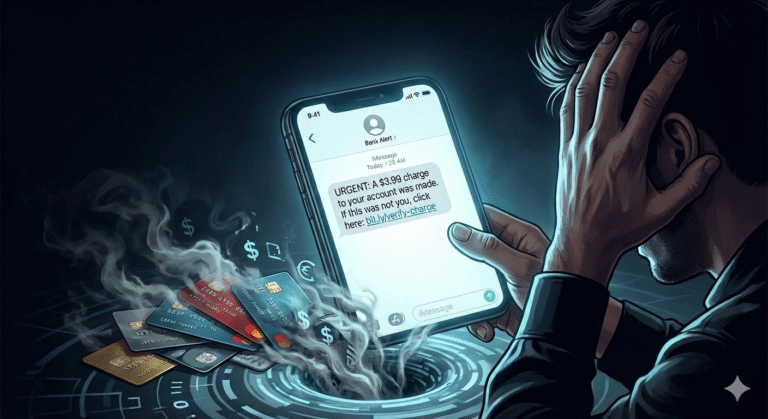
The $3.99 Text That Can Steal Your Savings: What to Know About Phishing

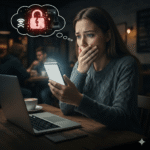
Sarah stared at her phone screen, heart pounding. The text looked real: “USPS: Package delivery failed. Confirm address: [link].”
Her sister had mentioned sending a birthday present last week, so the message made sense.
She tapped the link. The page loaded instantly, with an official USPS logo in blue and red, and a professional layout. A small notice at the top: “Redelivery fee: $3.99 to process.”
Four dollars. Not worth the hassle of calling customer service. She entered her name, address, and credit card number. The confirmation page displayed: “Your package will arrive tomorrow. Thank you!”
Sarah went back to making dinner.
Three days later, her bank called. Someone had tried to withdraw $4,800 from her checking account. Her credit card showed $6,200 in fraudulent charges, including purchases in Miami, Las Vegas, and Houston. Cities she’d never visited.
The $3.99 redelivery fee had just cost her family their entire emergency fund.
Sarah isn’t careless. She’s a 42-year-old teacher with a master’s degree. She teaches digital literacy to high schoolers. She thought she was too smart to fall for this.
She wasn’t the only one.
The Crime Everyone Thinks Won’t Happen to Them
According to the FBI’s Internet Crime Complaint Center (IC3) 2024 Annual Report, phishing topped all other online crimes the previous year with 193,407 complaints, more than any other category. Direct losses reached $70 million.
But here’s what the FBI report doesn’t tell you. Those numbers are just the tip of the iceberg.
Phishing isn’t just about stolen money. It’s the doorway criminals use to commit almost every other type of fraud. Look at what the IC3 report reveals when you dig deeper:
Business Email Compromise? The FBI documented $2.77 billion in losses in 2024, and the majority started with a single phishing email that stole login credentials.
Personal Data Breach? $1.45 billion was stolen after someone clicked a link that appeared legitimate and entered their information.
Identity Theft? $174 million in losses because of credentials gathered through fake login pages.
Tech Support scams? $1.46 billion lost, frequently beginning with phishing emails claiming your computer is infected.
Phishing is the master key. Click one wrong link, and criminals can unlock your bank account, your social media, your email, your work systems, and your medical records. Pretty much anything.
Why Brilliant People Click Dangerous Links
Let’s destroy a myth right now because falling for phishing doesn’t make you foolish.
In 2024, the CEO of a billion-dollar company received an email from someone who appeared to be his CFO. The subject line read: “Urgent: Wire transfer for acquisition, need approval by End of Business Day (EOD).” He clicked. He reviewed the attached invoice. He approved the $6.6 million transfer.
The email wasn’t from his CFO. The invoice was fake. The money vanished into accounts in three different countries.
This man runs a company with 5,000 employees. He graduated from a prestigious school. He has a team of cybersecurity professionals.
He wasn’t stupid. He wasn’t even careless.
He was human, and we humans are wired to respond to specific psychological triggers that criminals have spent decades perfecting, triggers like:
Authority makes us trust automatically. When a message appears to come from your bank, your boss, the IRS, or a delivery company, your brain skips the verification step. We’re taught from childhood to respect authority. Scammers weaponize this.
Urgency shuts down rational thinking. “Act within 24 hours or your account will be closed!” Your brain shifts from thoughtful analysis to panic mode. You stop asking questions. You just react.
Fear hijacks logic. Fear of losing money. Fear of legal trouble. Fear of missing an important delivery. When you’re scared, the part of your brain that spots inconsistencies goes offline.
Familiarity breeds comfort. You’ve clicked hundreds of legitimate links from Amazon, your bank, Netflix, and USPS. Your brain sees a familiar company name and automatically categorizes it as safe. One small detail is wrong, but you’re not looking for it because Everything else feels right.
Scammers don’t hack your computer. They hack your psychology.
The Text Message That Seemed Perfect
Let me show you how good these scams have become.
Michael received a text at 3 PM on a Thursday that said, “Your Amazon order #447-9284719-0022814 has been delayed. Update your payment method to complete delivery: [link].”
Here’s what made it convincing:
The order number format looked exactly right because Amazon’s order numbers have that specific pattern.
He HAD ordered something from Amazon last week.
The link started with “amazon-secure,” which seemed official.
The timing made sense, and keep in mind that Amazon does send delivery updates.
Michael clicked. The page loaded with Amazon’s logo, the same font, the same layout he’d seen a thousand times. It asked him to log in to “verify his account.”
He entered his Amazon username and password.
The page said, “Thank you. Your order will arrive tomorrow.”
But here’s what actually happened. The moment Michael entered his credentials, they were sent to a server in Eastern Europe. Within 90 seconds, someone logged into his actual Amazon account, changed his password and email address, and ordered $2,400 worth of electronics using his saved payment method.
Then they used his Amazon password, which Michael had reused, to try to log in to his email, and it worked. They reset his bank password using his email. By the time Michael realized something was wrong three hours later, they’d transferred $8,900 from his checking account.
One text. One click. One reused password.
Michael lost $11,300 before his bank froze the account.
How to Spot Every Phishing Attempt Starting Today
The good news? Once you know what to look for, phishing attempts become obvious. Here’s your detection system:
Red Flag #1: You Weren’t Expecting It
Linda’s phone buzzed during her lunch break. The text read, “Your Wells Fargo account has been locked due to suspicious activity. Click here to verify: [link].”
She pulled up her banking app. Everything looked normal. Balance was correct. No alerts. No notifications.
She called Wells Fargo directly while using the number on the back of her debit card, not any number in the text message.
The representative checked her account and confirmed that everything looked fine. No locks. No alerts. “This is definitely a scam,” he said.
Real companies don’t randomly contact you about problems you didn’t report. If you didn’t initiate the contact, didn’t call them first, didn’t request anything, or didn’t report an issue, then be immediately suspicious.
Red Flag #2: The Email Address Is Almost Right
Look at these examples. Can you spot the fakes?
Real: support@paypal[.]com Fake: support@paypa1[.]com (that’s a number one, not the letter L)
Real: security@bankofamerica[.]com
Fake: security@bankofamerica-alerts[.]com (extra words after the company name)
Real: no-reply@amazon[.]com Fake: no-reply@amazon[.]services[.]com (wrong domain ending)
The difference is often one character. One number instead of a letter. One extra word. One wrong ending.
Jennifer almost missed it. She received an email from “apple-support@icloud.com” requesting verification of her payment method. She was about to click when she noticed that her actual Apple emails came from “appleid@id.apple.com,” which is a completely different format.
That one second of looking closely saved her account.
Red Flag #3: It Creates Artificial Panic
According to research from phishing security companies, scammers have found that certain phrases dramatically increase click rates, phrases such as:
“Your account will be closed in 24 hours. Immediate action required.”
“Final notice.” “Legal action will be taken.” “Suspicious activity detected.” “Payment failed. Update now”
Real companies don’t operate like this. Your bank won’t close your account in 24 hours without multiple attempts to contact you through verified channels. Amazon won’t cancel your Prime membership without sending you several emails over weeks. The IRS sends physical letters, not threatening emails.
Urgency is the scammer’s best weapon. When you feel rushed, you stop thinking clearly.
Robert received an email claiming the IRS was filing a lawsuit against him for unpaid taxes. He had 24 hours to respond. His hands started shaking. His mind raced. He reached for his phone to call the number in the email.
Then he stopped. Took a breath. Thought about it.
The IRS doesn’t email. They send physical letters. They don’t threaten lawsuits before giving you chances to respond. They don’t demand immediate payment over the phone.
He deleted the email. Later that day, he called the real IRS using the number from their official website. No lawsuit. No unpaid taxes. No problem.
Five minutes of rational thinking saved him from sending $5,000 to criminals.
Red Flag #4: They Want Sensitive Information
Here’s a rule with zero exceptions. Real companies NEVER ask for passwords, Social Security numbers, or full credit card numbers via email or text.
Never.
Not your bank. Not Amazon. Not Apple. Not the government. Not your credit card company.
If someone asks for this information by email, text, or phone, and you didn’t initiate the call, it’s a scam. Always. Every single time.
Red Flag #5: The Link Looks Wrong
Before clicking ANY LINK, do this simple test:
On a computer: Hover your mouse over the link without clicking. Look at the bottom left corner of your browser. The actual web address will appear.
On a phone: Press and hold the link. A preview will pop up showing where it really goes.
Does it match the company name? Does it have weird characters? Does it use a shortened URL like “bit[.]ly”, which legitimate companies rarely use in official communications?
When Patricia received an email from “Netflix” saying her payment failed, she hovered over the “Update Payment” button. The actual link showed as: “netflix-payment-update.xyz.”
Real Netflix uses “netflix[.]com” domains. The “.xyz” ending was wrong. She deleted the email.
Her actual Netflix account? Working perfectly. Payment current. No issues.
The Five Second Rule That Stops Every Scam
Here’s your new habit. Before clicking ANY LINK or responding to ANY unexpected message:
Second 1: PAUSE
Stop. Breathe. Don’t let urgency override your judgment. The criminals want you to react immediately. Don’t give them that satisfaction.
Second 2: QUESTION
Ask yourself: Was I expecting this? Did I order something? Did I report a problem? Does this make sense?
Second 3: VERIFY THE SENDER
Look closely at the email address or phone number. Is it exactly right? Not almost right, but exactly right.
Second 4: CHECK THE LINK
Hover over it. Where does it actually go? Does the address match the supposed sender?
Second 5: NAVIGATE INDEPENDENTLY
Don’t click links in unexpected messages. Instead, open your browser, type the company’s website address yourself, and log in directly. Or call using a phone number you look up independently.
Those five seconds, literally five seconds, can save you thousands of dollars and months of stress.
A Story That Could Save Your Parents
Margaret, 71, received an email that made her heart stop. The subject line said, “Your grandson has been arrested. Urgent bail needed.”
The email looked official. Courthouse letterhead. A case number. A judge’s name. Details about the arrest. And a request to wire $15,000 immediately, or her grandson would spend the weekend in jail.
Her hands shook as she read it. She grabbed her phone to call the number provided.
Then she remembered something her daughter had told her months ago, “Before you send money to anyone for any reason, even if it seems urgent, even if it’s for family, please call me first. Always.”
She called her daughter. Together, they called her grandson. He answered from his dorm room, safe, studying for biology, completely unaware that criminals had scraped his name and photo from social media to craft the perfect scam.
One phone call. Five minutes. Disaster avoided.
Her daughter had taught her these two simple rules:
- Emergencies involving money are usually scams.
- Verify through a different channel before acting.
Those two rules saved $15,000.
If You’ve Already Clicked, Make Sure You Do This Immediately
You clicked a suspicious link. You entered information. You realized it was fake too late.
Don’t panic. Act fast.
Right now, within 60 seconds:
Turn on Airplane Mode or disconnect from WiFi. This prevents malware from downloading and blocks criminals from remotely accessing your device.
Within 10 minutes:
From a different device, whether it is another phone, a computer, your work laptop, or anything that didn’t touch the phishing link, and change the passwords for:
- Your email. The most important reason is that someone can reset your accounts from this email address.
- Your bank accounts
- Any other account that used the same password
Within 1 hour:
Call your bank using the number on the back of your debit card. Tell them what happened and ask them to:
- Watch for suspicious transactions.
- Freeze your account if necessary.
- Issue new cards if you entered card information.
Within 24 hours:
File reports with:
- FBI Internet Crime Complaint Center at IC3.gov
- Federal Trade Commission at ReportFraud.ftc.gov
- Your local police department
The FBI’s Recovery Asset Team had a 66% success rate in freezing fraudulent transactions in 2024, but only when victims reported quickly. The first 24 hours are critical.
Run a full scan on your device using your built-in security software or a trusted antivirus program.
Contact the three credit bureaus (Equifax, Experian, TransUnion) and put a fraud alert on your credit file.
Within 1 week:
Check your credit card and bank statements daily for the next month. Look for small charges, since criminals often test with small amounts before making big purchases.
Monitor your credit report for new accounts you didn’t open.
Change the passwords on accounts you haven’t yet secured.
Speed matters. The faster you act, the less damage criminals can do.
What Your Family Needs to Know Today
Share this section. Text it to your parents. Email it to your siblings. Post it in your family group chat.
The Five Sentences That Protect Everyone:
- “Real companies never ask for passwords or Social Security numbers in emails or texts.”
- “Before clicking any link in an unexpected message, verify by going directly to the website yourself.”
- “Urgency is a weapon scammers use, so slow down and think before acting.”
- “If something feels wrong, trust that feeling and verify through a different method.”
- “Before sending money to anyone, even family in an emergency, please verify through a phone call first.”
Have this conversation at your next family dinner. Share these rules with elderly relatives who might be targeted. Teach your teenagers who are getting their first bank accounts.
According to the FBI’s 2024 IC3 Report, Americans aged 60 and older lost over $4.885 billion to online scams last year. This is the highest loss of any age group, with phishing often acting as the first step in these costly schemes.
Your five minute conversation could save someone you love from becoming next year’s statistic.
Your Action Plan: What to Do This Week
Don’t wait. Don’t plan to do this “eventually.” Do it now.
Today, before you go to bed:
Turn on the extra security step for your email and bank accounts. This is usually in settings under “Security” or “Two-Step Verification.” It sends a code to your phone when someone tries to log in. Even if criminals steal your password, they can’t get in without that code.
This week:
Stop clicking links in emails and texts. When you get a message from your bank, Amazon, Netflix, or any other company, don’t click the link. Instead, open your browser and type the website address yourself.
Bookmark the websites you use most often. Use those bookmarks instead of clicking links in messages.
This month:
Have “the phishing conversation” with at least three people. You can start with an elderly family member, a teenager, or anyone who handles financial information.
Check your credit report for free at AnnualCreditReport.com. This is the only legitimate, authorized free source.
Install a password manager and start using unique passwords for each account.
The Promise You Need to Make
Put your hand over your heart and say this out loud, “Before I click any unexpected link, I will pause for five seconds. I will verify the sender. I will question urgency. I will protect my family, my finances, and my future.”
Because you are smarter than the scam, once you know what to look for, once you pause instead of reacting. Once you verify, instead of just trusting.
The Truth Nobody Wants to Hear
You WILL receive phishing attempts.
Not “might.” Not “possibly.” Will.
According to the 2024 IC3 Report, phishing remains the number one reported crime type, with nearly 200,000 individuals stepping forward to report successful or attempted attacks in a single year. Countless more go unreported. Your email filter catches most of them. But some get through. And some of those look absolutely perfect.
You’re not paranoid for being suspicious. You’re not overreacting when you verify. You’re not wasting time when you pause.
You’re being smart. You’re being prepared. You’re protecting yourself and everyone connected to you.
Sarah’s Story. Six Months Later
Remember Sarah from the beginning? The teacher who lost her emergency fund to a $3.99 package delivery scam?
She got most of her money back. It took four months of phone calls, police reports, and bank investigations. But she got it back because she reported it immediately.
She also changed how she handles every message she receives. Now, she pauses. She verifies. She questions.
Last week, she received a text that said, “Your Amazon account has been locked. Verify here: [link].”
She smiled. Deleted it. Opened Amazon directly through her browser. Everything was fine.
The scam that would have worked six months ago didn’t even slow her down.
That’s what five seconds of awareness does. It transforms you from a potential victim into someone who sees the traps before stepping into them.
Don’t Be Another Complaint Number
The FBI received 193,407 phishing complaints in 2024.
Don’t be added to the list in the coming years.
Pause. Verify. Protect.
One click can cost Everything you’ve saved, Everything you’ve built, Everything you’ve worked for.
But five seconds, just five seconds of thinking before clicking, can save it all.
Your financial security, your identity, your peace of mind, your family’s future. They’re all worth those extra seconds.
Always.
If You Need Help:
Report Phishing:
- FBI Internet Crime Complaint Center: www.IC3.gov
- Federal Trade Commission: www.ReportFraud.ftc.gov
- Forward phishing emails to: spam@uce.gov
Get Support:
- Identity Theft Resource Center: 1-888-400-5530
- Your bank’s fraud department (number on the back of your card)
Check Your Credit:
- Free credit reports: www.AnnualCreditReport.com (the only legitimate free source)
Sources
- Federal Bureau of Investigation (FBI)
- Report: 2024 Internet Crime Report (IC3)
- Link: https://www.ic3.gov/Media/PDF/AnnualReport/2024_IC3Report.pdf
- Federal Trade Commission (FTC)
- Resource: Report Fraud Home Page
- Link: https://reportfraud.ftc.gov
- Annual Credit Report
- Resource: Official Federal All-in-One Credit Site
- Link: https://www.annualcreditreport.com