5 Ways to Protect Your Digital Identity in 2026

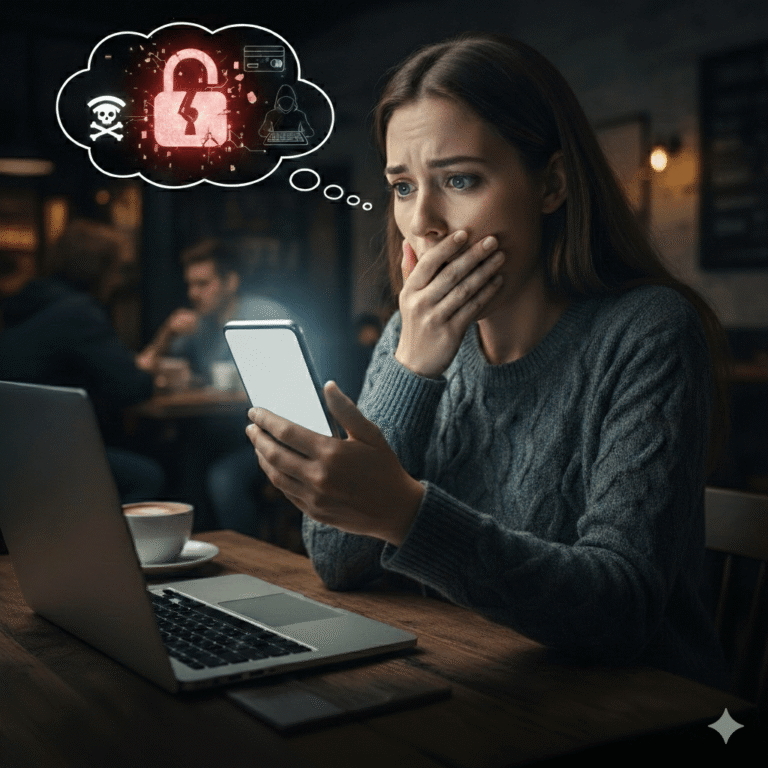
Sarah’s hands trembled as she stared at her phone screen. Her banking app showed $47,000 missing from her retirement account.
Gone. Just gone.
Three weeks earlier, she’d stopped at a coffee shop. Used their free WiFi. Paid a few bills. Nothing unusual. Nothing seemed dangerous.
That free WiFi wasn’t secure. Someone was watching. Recording. Stealing information.
And now Sarah’s retirement savings had vanished into accounts in countries she’d never heard of. Twenty years of careful saving. Money meant for her daughter’s college.
“I thought I was being careful,” she told me later, tears streaming down her face. “I didn’t know.”
She’s not alone.
According to the FBI’s 2024 report, Americans lost over $16 billion to online criminals last year (FBI IC3, 2024). That’s a 33% increase from 2023. The FBI received 859,532 complaints about online crimes. Real people like Sarah are losing life savings, identities, and peace of mind.
But here’s what we should be watching for: most of these crimes don’t require technical brilliance. They succeed because regular people make small mistakes.
Mistakes anyone could make.
The good news? Protecting yourself doesn’t require a computer science degree or expensive software. You just need to know what to watch for and build a few simple habits.
Let me show you how.
Your Digital Identity Is Your Life
Think about what’s connected to your online accounts.
Your bank account. Your home address. Photos of your children. Your work email. Your medical records. Your Social Security number. Your entire financial history.
That’s not just data. That’s your life in digital form.
In 2024, the FBI documented over 859,000 complaints from people whose digital information was stolen or misused. Behind every number is someone’s parent, neighbor, coworker, friend.
And the criminals? They’re not slowing down.
Criminals are getting more sophisticated, patient, and convincing. Security researchers found that human error, such as clicking a bad link or using a weak password, is a factor in over 74% of all breaches. The criminals have figured this out. They’re not targeting your firewall; they’re targeting you.
But you can stay one step ahead.
1. Make Every Password Different (Yes, Every Single One)
Here’s a common scenario reported to the FBI’s IC3: someone uses the same password for everything. Email, banking, Amazon, Netflix, work accounts. All the same password. Easy to remember.
Then, a website they used years ago gets hacked. Criminals get that password. Within hours, they’ve tried it on every major website.
They get into email first. Use it to reset every other password. Bank accounts. Credit cards. PayPal.
According to the FBI’s 2024 report, phishing, which is fake emails and websites designed to steal your login information, topped every other crime category with 193,407 complaints (FBI IC3, 2024). Most succeed because people reuse passwords across multiple sites.
When one site gets breached, and breaches happen constantly, criminals test those stolen passwords everywhere. It’s like using the same key for your house, car, office, and safety deposit box. When one gets stolen, everything’s at risk.
What You Should Do:
Use a different password for each account.
Every website. Every app. No repeats.
I know what you’re thinking: “But I have 47 different accounts! How am I supposed to remember that many passwords?”
You’re not. That’s why you need a password manager.
Get a password manager.
Think of it like a safe that remembers all your passwords for you. You only remember one master password. The manager automatically fills in everything else.
Options like 1Password, Bitwarden, or LastPass cost less than $5 a month. About the same as one coffee. Your morning latte budget? That’s all it takes to protect everything you own online.
I use Bitwarden. It’s free and open source. Works great.
Your kids can use one too. It helps them create strong passwords like “Taylor-Swift-Eras-Tour-Miami-Night3!” instead of “password123.” No writing them on sticky notes.
Turn on two-factor authentication.
When a website offers to send a code to your phone before letting you log in, say yes. This adds a second layer of protection requiring something you know (your password) and something you have (the code sent to your phone).
According to Microsoft’s 2024 security research, accounts with two-factor authentication enabled are 99.9% less likely to be compromised.
That’s not a typo. Ninety-nine point nine percent.
Think of it like needing both a key AND a security code to enter your house. Even if someone steals your key, they still can’t get in.
2. Slow Down When Someone Says “Urgent.”
Picture this scenario that the FBI sees constantly:
Your phone rings. The voice sounds official.
“This is Amazon Security. We’ve detected suspicious activity on your account. Someone in Miami just tried to purchase a $2,400 laptop. We need to verify your information immediately, or we’ll have to close your account within the next hour.”
The panic sets in.
Then you remember: real companies don’t call asking for this stuff.
You hang up. Open the Amazon app on your phone. Everything looks normal. No locked account. No suspicious purchases. No problem.
You call Amazon directly using the number from their official website. They have no record of any suspicious activity or any call to your number.
The “Amazon Security” call? Fake. All of it.
Here’s the reality: According to the FBI’s 2024 report, call center scams, which are fake phone calls from criminals pretending to be from companies, government offices, or tech support, cost Americans $1.9 billion in 2024 (FBI IC3, 2024). Tech support and government impersonation schemes led the way.
These criminals use one thing. Urgency.
They create panic, so you act before thinking. And it works. People who normally wouldn’t give out their credit card to a stranger on the street hand it over within minutes on a phone call.
Here’s How to Protect Yourself:
Real companies don’t call asking for passwords, account numbers, or security codes.
Never. Not your bank. Not Amazon. Not Apple. Not Microsoft. Not the government.
If someone calls claiming there’s a problem with your account, hang up.
Call the company yourself using a number you look up independently. Not the number they give you. Not the number in the voicemail. Look it up on the company’s official website.
If an email says “urgent” or “act now,” slow down.
That’s exactly when scammers want you moving fast. Take a breath. Look at who actually sent the email. The full email address, not just the name that appears.
Real security teams want you to be cautious. Scammers want you to rush.
Teach your kids this rule:
If something online makes them feel scared or pressured to act immediately, they should come get you before doing anything.
3. Be Careful What You Share Online
Those Facebook quizzes seem harmless.
“What’s Your Superhero Name? Use your mother’s maiden name and the street you grew up on!”
“What’s Your Rock Star Name? First pet plus first car!”
Fun little distractions during work breaks. Harmless entertainment.
Except those are the exact security questions banks use to protect accounts.
Mother’s maiden name? Check. Street you grew up on? Check. First pet? Check. First car? Check.
According to the FBI’s 2024 report, personal data breaches, which are situations where someone’s private information is accessed or stolen, affected 64,882 people with losses exceeding $1.4 billion (FBI IC3, 2024).
Every birthday post showing your full birth date. Every vacation photo tagged with your location while you’re away. Every “first day of school” picture showing which school your kids attend.
That’s all information criminals can use.
Protect Your Family By:
Limiting what you share on social media.
Full birth dates make identity theft easier. Current locations tell criminals when your house is empty. School names in photos put your children at risk.
Before you post, ask yourself: “Who could see this? What could they do with it?” If you wouldn’t tell a stranger on the street, don’t post it online.
Making up answers to security questions.
Your bank asks for your first pet’s name? As far as they know, your first pet was “Purple-Elephant-Bad-Bunny-2026!” The bank doesn’t care if it’s real. They just need something only you know.
Check your credit report once a year.
Go to AnnualCreditReport.com, which is the only truly free source authorized by federal law. Look for accounts you didn’t open, inquiries you didn’t make, or addresses you’ve never lived at.
Talk to your kids about this, too.
That gaming username shouldn’t be “Mike-Johnson-Oakwood-Middle-School.” Their TikTok profile shouldn’t show exactly which after-school activities they attend.
Help them understand that online strangers don’t need to know everything.
4. Keep Your Devices Updated (I Know, I Know…)
You’ve seen the notification: “Software Update Available.”
You dismiss it. Like you dismissed it yesterday. And the day before. And the week before that.
Updates are annoying. They take time. They make your phone restart. And everything still works fine without them, right?
Wrong.
This is a pattern the FBI sees constantly in data breach reports: devices get infected with malware that exploits security problems that were already fixed in updates people ignored.
According to the FBI’s 2024 report, criminals found 67 new ways to break into computers and phones. Many of these attacks only work because people don’t install security updates.
Those updates aren’t just adding new features. They’re fixing security holes that criminals already know how to exploit. You’re leaving the door unlocked and wondering why someone walked in.
Make This Easy on Yourself:
Turn on automatic updates for your phone, computer, and tablets.
They’ll update themselves overnight while you sleep. You won’t even notice.
Don’t click “remind me later” when you see an update notification.
That button might as well say “leave the door unlocked for criminals.”
Replace devices that no longer get updates.
That 8-year-old laptop might still turn on, but if the manufacturer stopped supporting it, it’s a security disaster waiting to happen.
Think of updates like changing the oil in your car. You don’t wait until the engine explodes. You do it regularly to prevent bigger problems.
I set a reminder on my phone for the first of each month: “Check for updates.” Takes 30 minutes and could save you thousands of dollars in stolen funds or irreplaceable family photos.
5. Double-Check Before Sending Money (Every Single Time)
Here’s a scenario the FBI’s Business Email Compromise team sees daily:
You get an email from your real estate agent.
Subject line: “URGENT: Updated Wire Transfer Instructions.”
The closing is tomorrow. The email explains that the title company changed their banking information. New account number attached. Please wire the $287,000 by the end of business today to avoid delaying the closing.
Everything looks right. The email address shows your agent’s name. The signature matches. The logo looks official.
But here’s what happened in hundreds of cases documented by the FBI: the email wasn’t from the agent. The account wasn’t legitimate. The money disappeared.
According to the FBI’s 2024 report, Business Email Compromise scams, which are fake emails that appear to come from legitimate businesses asking you to send money, cost Americans $2.77 billion in 2024 (FBI IC3, 2024).
Let that sink in. $2.77 billion. That’s more than the GDP of some countries, stolen one wire transfer at a time.
The FBI has a Recovery Asset Team that tries to freeze fraudulent transfers. But success depends entirely on how quickly victims report. Every hour matters.
Protect Yourself When Sending Money:
Call to verify any payment instructions.
Use a phone number you already have. Not one from the email. Not one that they just gave you. Use a number you saved in your contacts before, or look it up on their official website.
One phone call could save $287,000.
For big purchases like homes or cars, confirm details in person when possible.
Drive to the title company. Sit across from a real person. Verify the account information face-to-face.
Be extra suspicious if someone suddenly changes the payment destination.
That’s the biggest red flag. “Oh, actually, send it to this different account instead.” That’s when alarm bells should go off.
Remember: Real businesses understand when you want to double-check.
They won’t pressure you. They won’t make you feel stupid for verifying.
If someone gets defensive when you try to confirm? That’s a massive red flag.
Here’s a simple rule the FBI recommends: Check the request carefully, call using a number you already trust, and wait until you’ve confirmed everything before sending money.
Ten extra minutes can save hundreds of thousands of dollars.
Protecting Your Parents and Grandparents
Here’s a common scam pattern targeting older adults:
An email arrives with an official-looking letter from a police department. A case number. Details about an arrest. And a request: wire $15,000 immediately, or a grandson will spend the weekend in jail.
According to the FBI’s 2024 report, Americans over 60 filed 147,127 complaints totaling nearly $5 billion in losses (FBI IC3, 2024). That’s a 43% increase from the previous year.
Think about that. $5 billion stolen from older adults. Your parents. Your grandparents. People who worked their whole lives.
FBI research shows that 76% of older adults who fell for investment scams didn’t even realize they were being scammed. They thought they’d found a legitimate financial advisor, a helpful tech support person, or a romantic partner online.
Scammers are patient. They build relationships over weeks or months before asking for money.
Help Protect Your Loved Ones:
Talk regularly about online safety without making them feel embarrassed.
Frame it as “these scams are getting so sophisticated, they’re fooling everyone.” Make it about the criminals being clever, not about their vulnerability.
Nobody likes feeling like they’re being treated like a child. So don’t do that. Have real conversations about real threats.
Help them set up two-factor authentication on their accounts.
That extra login step that sends a code to their phone? Set it up together. Show them it’s easy.
Create a family code word for emergencies.
If someone calls claiming to be a grandchild who needs bail money, ask for the code word. Real family members will know it. Scammers won’t.
Pay attention if you notice unusual behavior.
Suddenly secretive about finances? Mentioning a new “financial advisor” you’ve never met? Getting a lot of calls from unknown numbers?
These can be warning signs.
The best protection is staying connected and keeping communication open. Don’t wait until something happens to have these conversations.
Start With One Small Step (Right Now)
You don’t need to do everything at once. That’s overwhelming and usually leads to doing nothing.
Pick one thing to do today. Just one.
Today:
Turn on two-factor authentication for your email and bank accounts. It’s usually in settings under “Security” or “Two-Step Verification.” Takes 5 minutes.
This week:
Set up a password manager. Download one (1Password, Bitwarden, LastPass), create your master password, and start saving passwords as you log into sites.
This month:
Check your credit report at AnnualCreditReport.com. Look for anything you don’t recognize.
Keep learning:
Visit the FBI’s website at ic3.gov to learn about new scams as they emerge.
What Successful Recovery Looks Like
Quick reporting makes a difference. According to the FBI’s 2024 IC3 report, the Recovery Asset Team achieved a 66% success rate in freezing fraudulent transactions when victims reported within 24 hours (FBI IC3, 2024).
That drops dramatically after 48 hours. Speed matters.
Sarah, from our opening story, reported the theft immediately. While this story represents a pattern reported to the FBI, the outcome shows what’s possible with quick action. The FBI’s data shows that immediate reporting and working with the Recovery Asset Team can lead to partial fund recovery in many cases, though specific outcomes vary widely.
She also made all the changes I’m recommending here. Password manager. Two-factor authentication. Regular credit checks. Careful about WiFi.
“I thought staying safe online was complicated,” she told me six months later. “But it’s really just about slowing down and paying attention. Not rushing. Not clicking without thinking.”
You can do this. Your family can do this.
One small change today. Another next week. Before long, these habits become automatic.
If Something Goes Wrong
Even careful people become targets. If it happens to you:
Report it immediately at ic3.gov (the FBI’s Internet Crime Complaint Center). The faster you report, the better your chances of recovery.
Call your bank right away. Use the number on the back of your card. Tell them what happened. They can freeze accounts and reverse fraudulent charges if you catch it quickly.
File a report with your local police. Even if they can’t do much, having a police report helps with insurance claims and credit bureau disputes.
Save everything. Screenshot emails. Save text messages. Document every transaction. You’ll need this evidence.
The FBI wants to hear from everyone who’s been targeted, even if you didn’t lose money. Your report helps them identify patterns, track criminal networks, and warn others.
Speed matters. A lot.
You Can Protect Your Family
Staying safe online doesn’t require special skills or technical knowledge.
It requires paying attention. Slowing down. Questioning urgency. Verifying before acting.
The criminals count on people being busy, distracted, and trusting. They hope you’ll click without thinking, send money without checking, and share information without questioning.
Don’t give them that chance.
Start with one step today. Then another tomorrow.
Small changes add up to big protection for you and everyone you love.
Frequently Asked Questions
What’s the most important thing I can do right now?
Turn on two-factor authentication for your email. Your email is the master key to everything else. If someone gets into your email, they can reset passwords for every other account. Protect it first.
How do I know if my password manager is safe?
Look for established companies with good reputations: 1Password, Bitwarden, LastPass, or Dashlane. Check that they use strong encryption and have been audited by security experts. Read reviews from tech sites you trust.
What if I’ve already been using the same password everywhere?
Don’t panic. Start changing them now, beginning with the most important accounts: email, banking, and any accounts with payment information. Use a password manager to create unique passwords for each. You don’t have to do them all in one day.
Should I worry about public WiFi at places like Starbucks?
Yes. Free public WiFi is often not encrypted, meaning anyone on the same network can potentially see what you’re doing. Avoid accessing bank accounts or entering passwords on public WiFi. If you must use it, consider a VPN (Virtual Private Network) that encrypts your connection.
How often should I check my credit report?
At least once a year through AnnualCreditReport.com. Better yet, request one report every 4 months from a different bureau (Equifax, Experian, TransUnion) so you’re monitoring year-round for free.
Sources
- Federal Bureau of Investigation (FBI)
- 2024 Internet Crime Report
- Internet Crime Complaint Center (IC3)
- Published: March 2024
- https://www.ic3.gov/Media/PDF/AnnualReport/2024_IC3Report.pdf
- Microsoft Security
- Security Intelligence Report 2024
- Published: 2024
- Microsoft corporate security documentation
- Annual Credit Report
- Free Credit Reports (federally authorized)
- https://www.annualcreditreport.com
- Federal Trade Commission (FTC)
- Identity Theft Resources
- https://www.consumer.ftc.gov/articles/identity-theft
All sources accessed and verified as of February 19, 2026.
Disclaimer: This article provides educational information about protecting your digital identity. This is not professional cybersecurity consulting, IT services, legal advice, or financial advice. Content is provided “AS IS” for general awareness. For specific security concerns, consult with appropriate professionals.