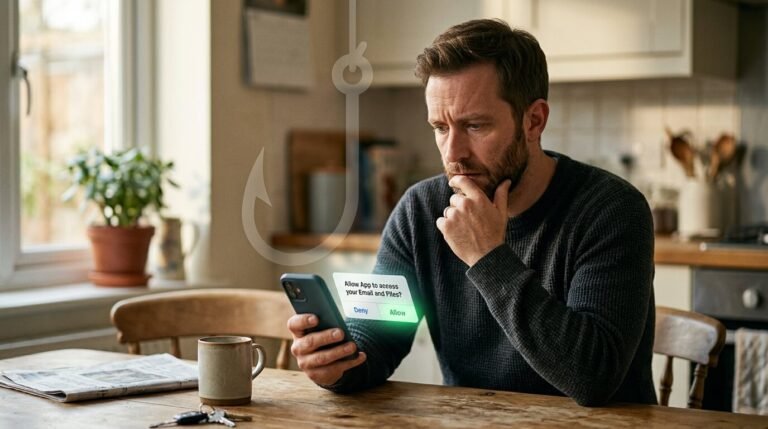
They Didn’t Steal Mike’s Password. They Didn’t Need To.

TL;DR (Too Long; Didn’t Read)
- The Threat: Criminals are tricking people into clicking “Allow” on a fake app, which hands over their email and files without ever stealing a password.
- How They Do It: They pose as a journalist, planner, or old contact, send a link, and walk you through a real Google or Microsoft login screen that ends in one sneaky permission request.
- Stop It Now: Open your Google or Microsoft account security page, check “Third-party apps” or “Apps with access,” and remove anything you don’t recognize.
Mike got a LinkedIn message from someone claiming to write for a trade publication. He wanted his thoughts on a draft article and quoted her by name. Flattering. Normal enough. He sent a link to “review the file.”
He clicked it. A real Google sign-in page popped up. His actual login page, her actual account. He typed his password like he’d done a thousand times before.
Then came a second window. An app wanted permission to read her email and files. He tapped “Allow” without really reading it. Who has time to read a permissions pop-up?
Three weeks later, invoices were going out from her email that He never wrote.
How They Run the Play
This is called consent phishing, and the FBI’s Internet Crime Complaint Center issued a warning about it on September 1, 2026. According to the FBI’s IC3, cyber actors have been impersonating officials, journalists, and event planners to push targets toward a fake app registered with a real login provider like Google or Microsoft.
Here’s what makes it dangerous. The password screen is real. Mike’s credentials never went to the criminal. What he handed over was a token, a digital permission slip that keeps working even after he changes his password.
The FBI’s IC3 explains that you can shut off this token only one way: by going into the app’s security settings and revoking it directly. A new password does nothing.
Red Flags From the Case File
- A message from someone you don’t fully know, asking you to “review,” “verify,” or “check” something urgently
- A link that leads to a real login page, followed by a second pop-up asking for permissions
- Requests coming through a messaging app rather than a work email
- Anyone who won’t answer a direct question about who they are before you click anything
Do this, not that:
❌ Don’t click a link from someone you can’t independently verify, even if the login page looks legitimate.
✅ Type the website address in yourself, or call the person on a number you already had before the message arrived.
Your Five-Minute Win Today
Open your Google Account or Microsoft Account settings, find “Third-party apps” or “Apps with access to your account,” and remove anything you don’t recognize or no longer use. That’s it. One check, one click, done.
This is exactly the kind of quiet break-in that fake message scams rely on, and it’s why I tell people the extra login code step alone isn’t the whole picture anymore. Consent tokens sidestep it entirely.
A Few Questions People Ask Me
If I already clicked “Allow,” is changing my password enough?
No. You have to remove the app itself from your account’s security settings. Changing the password alone leaves the door propped open.
How do I know if an app already has access to my account?
Check your Google or Microsoft account security page under “third-party access.” Most people have never looked, and most are surprised by what they find.
Can this happen even with the extra login code step turned on?
Yes. Consent phishing gets around that protection because it never needs your password or your code. It only needs one tap on “Allow.”
Disclaimer: This article is for educational and informational purposes only. It does not constitute legal, financial, or cybersecurity advice. Digitath LLC makes no guarantee that any strategy will prevent all scams or criminal activity. The story of Mike is illustrative. It does not depict a specific individual or real case. Still, it reflects the pattern documented in the FBI’s Internet Crime Complaint Center Public Service Announcement on OAuth consent phishing, issued September 1, 2026.
Sources
- Federal Bureau of Investigation, Internet Crime Complaint Center (IC3). “Malicious Cyber Actors Gain Access to Victim Accounts Through Consent Phishing.” Alert Number I-090126-PSA, September 1, 2026. https://www.ic3.gov/PSA/2026/PSA260901